Push Button Switch Wiring Diagram: 2-Pin, 3-Pin and 4-Pin Connections
Published: Author: Wenzhou Sunto
A Push Button Switch Wiring Diagram helps engineers, electricians, and equipment manufacturers understand how to connect a push button to a control circuit. However, the correct wiring method depends on the switch’s terminal arrangement, contact configuration, and whether the product includes an indicator light.
A 2-pin push button may provide a simple switching function, while a 3-pin or 4-pin model may support different contact arrangements or illuminated operation. The number of terminals alone does not guarantee a specific wiring layout.
In this guide, we explain common push button switch wiring configurations, the differences between normally open (NO) and normally closed (NC) contacts, and the key points to check before installing a switch in an industrial control panel.
Understanding Push Button Switch Terminals
Before following a Push Button Switch Wiring Diagram, identify the function of each terminal.
The most common contact configurations include:
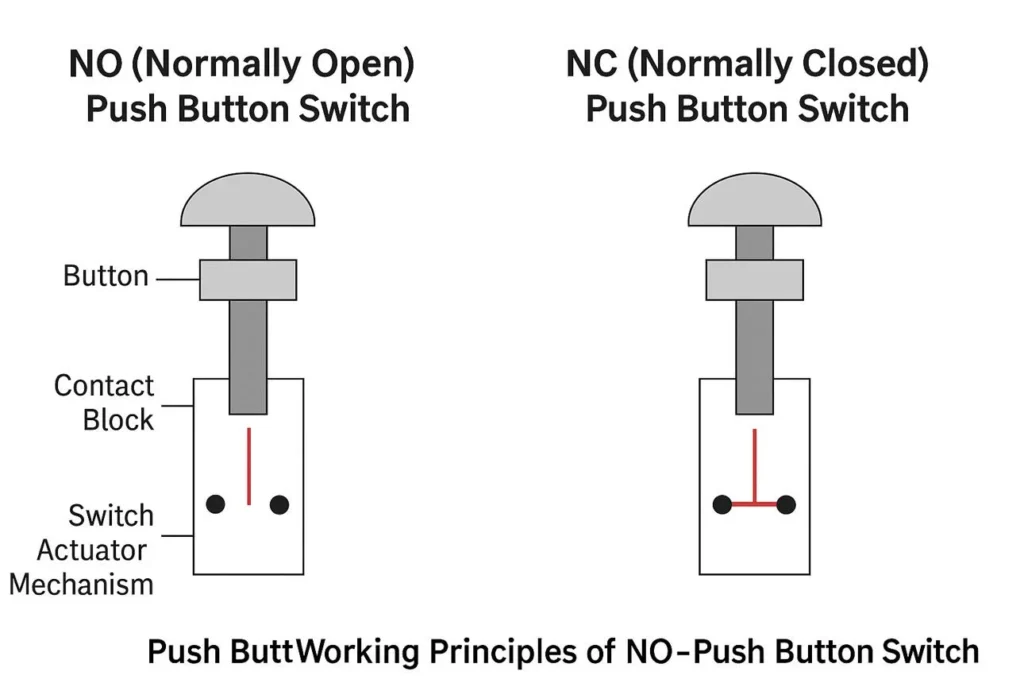
Normally Open (NO): The contact is open in its normal state and closes when the switch is actuated.
Normally Closed (NC): The contact is closed in its normal state and opens when the switch is actuated.
Common (COM): A shared contact used with NO or NC terminals in a changeover contact arrangement.
LED terminals: Separate connections that supply power to an illuminated push button.
A momentary push button normally returns to its original contact state after release. A latching push button maintains its changed state until another operation resets it.
Always check the manufacturer’s terminal diagram before connecting wires. Similar-looking switches may use different internal contact arrangements.
2-Pin Push Button Switch Wiring Diagram
A basic 2-pin push button switch has two electrical terminals. In a typical non-illuminated model, these terminals form a single switching contact.
For a normally open momentary switch, the circuit is open before the button is pressed. Pressing the button closes the contact and allows current to flow through the connected circuit. Releasing the button opens the circuit again.
Typical 2-Pin NO Connection
Power Supply (+)
       |
       |
   [ NO Contact ]
       |
       |
   Load / Input
       |
       |
Power Supply (-)
This simplified diagram illustrates a series connection. The actual supply, load, and return connections must follow the requirements of the equipment being controlled.
Common applications include:
Start commands
Reset inputs
Temporary control signals
Low-voltage electronic projects
A 2-pin switch may instead use a normally closed contact. In that case, its behavior is reversed. Verify the contact type before connecting it.
3-Pin Push Button Switch Wiring Diagram
A 3-pin push button may use a common terminal with NO and NC contacts, or it may have a different configuration depending on the product design.
For a changeover contact arrangement, the three terminals are commonly identified as:
COM
NO
NC
In the normal state, COM is connected to NC. When the button is actuated, COM changes to NO.
Typical 3-Pin Changeover Contact
             NO
              o
             /
COM  o-------/
             \
              o
             NC
This is a conceptual illustration of a changeover contact, not a universal physical pin layout.
A 3-pin illuminated push button may use a different arrangement. Some products use two terminals for the switching contact and another connection for the indicator, while others have a different internal design.
Do not assume that every 3-pin push button has COM, NO, and NC terminals. Check the product’s wiring diagram or datasheet first.
4-Pin Push Button Switch Wiring Diagram
A 4-pin push button may provide two independent switching terminals pairs, an illuminated contact arrangement, or another manufacturer-specific configuration.
For example, an illuminated push button may separate the switch contacts from the LED supply connections. However, the exact arrangement varies by model.
Before wiring a 4-pin switch, determine:
Which terminals belong to the switching contact.
Whether the contact is NO, NC, or a combination.
Which terminals supply the indicator light, if present.
The required LED voltage and polarity.
Whether the contact and indicator circuits are electrically isolated.
Conceptual 4-Terminal Layout
Switch Circuit             Indicator Circuit

Terminal A  o               LED (+)  o
            Contact
Terminal B  o               LED (-)  o
This diagram represents one possible arrangement only. It does not identify the actual pin positions of every 4-pin switch.
Never connect a power supply to unidentified terminals based solely on their physical position. Doing so may damage the indicator, switch, or connected equipment.
Momentary vs Latching Push Button Wiring
The wiring arrangement also depends on the operating mechanism.
Feature
Momentary Push Button
Latching Push Button
State after release
Returns to normal
Remains in the changed state
Typical use
Start, reset, jog
Maintained ON/OFF control
Contact behavior
Changes while actuated
Changes and remains switched
Selection priority
Temporary command
Maintained command
A momentary push button is commonly used to send a temporary command to a relay, contactor, or PLC input.
A latching push button is useful when a maintained switching state is required. However, a maintained contact does not automatically provide all the control logic needed for a motor or other machine.
For example, motor control circuits may require overload protection, interlocking, and a suitable stop function. A push button should not replace the required protective devices.
How to Wire a Push Button to a Relay or PLC
Push buttons are frequently used as input devices in industrial control systems.
Push Button with a Relay
A momentary push button can be connected to a suitable relay control circuit to initiate an operation. The relay coil voltage, contact ratings, and circuit arrangement must match the application.
For maintained operation, the circuit may require a latching relay or a separate holding circuit. The correct arrangement depends on the intended control logic.
Push Button with a PLC
A push button can provide a digital input signal to a programmable logic controller.
In a typical arrangement, the switch contact connects a compatible input to the required reference potential. The exact wiring depends on whether the input is designed for sourcing or sinking signals and on the PLC’s electrical specifications.
Before installation, check:
PLC input voltage and current requirements
NO or NC contact selection
Input common configuration
Required signal reference
Indicator wiring, if applicable
Do not assume that all PLC inputs use the same wiring method.
Common Push Button Switch Wiring Mistakes
1. Confusing NO and NC Contacts
Connecting to the wrong contact can reverse the intended switching behavior. Verify the normal contact state using the datasheet or an appropriate continuity test with the circuit disconnected.
2. Assuming Pin Numbers Are Standardized
A 3-pin or 4-pin switch does not have a universal terminal layout. Different manufacturers may use different arrangements.
3. Connecting the LED to the Wrong Voltage
An illuminated push button may require a specific AC or DC supply. Applying an incorrect voltage or polarity can damage the indicator.
4. Ignoring Contact Ratings
The contact rating must be suitable for the connected load. For inductive loads or high-power equipment, a properly rated relay or contactor may be necessary.
5. Skipping Electrical Safety Checks
Disconnect the power supply before installation or continuity testing. Confirm that the circuit is de-energized and follow the equipment manufacturer’s safety procedures. Work on hazardous-voltage circuits should be performed by qualified personnel.
Choosing the Right Push Button Switch for Your Application
Selecting a suitable push button requires more than checking its terminal count.
Consider the following factors:
Selection Factor
What to Confirm
Operating mechanism
Momentary or latching
Contact type
NO, NC, or changeover
Terminal arrangement
Verify the product diagram
Electrical rating
Voltage and current
Indicator
LED voltage and polarity
Mounting size
Panel cutout and body depth
Environment
Required IP rating and materials
For compact industrial control panels, Wuce offers metal push button options with different mounting sizes and designs.
The Push Button Metal Switch is a 12mm metal momentary push button. It may be worth considering for compact control applications, subject to confirming the required contact configuration and electrical specifications.
For applications where environmental protection is important, the Metal Button Waterproof is another option to review. Confirm the exact model’s contact arrangement and protection rating before selecting it for a particular installation.
You can also browse Wuce’s Push Button Switches category to compare available product designs.
Frequently Asked Questions
How do I identify the terminals on a push button switch?
Check the terminal markings, product datasheet, or manufacturer’s wiring diagram. If necessary, use a suitable continuity tester with the switch disconnected from all power sources.
What is the difference between NO and NC push button wiring?
An NO contact is open in its normal state and closes when actuated. An NC contact is closed in its normal state and opens when actuated.
Can I wire a push button directly to a motor?
A push button’s contacts may not be rated for direct motor switching. Industrial motors typically require an appropriate motor starter, contactor, overload protection, and control circuit.
Why does an illuminated push button have extra terminals?
Additional terminals may supply the indicator independently of the switching contact. The actual arrangement depends on the product design.
Can I use the same wiring diagram for every 4-pin push button?
No. Four terminals can represent different electrical arrangements. Always verify the terminal functions and electrical ratings of the exact model.
Conclusion
A Push Button Switch Wiring Diagram is useful for identifying contact arrangements and planning connections, but the correct wiring method depends on the specific switch design.
Before installation, confirm the terminal functions, NO or NC contact behavior, electrical ratings, indicator requirements, and intended control circuit. For industrial applications, also ensure that suitable protection and control devices are included.
If you are selecting a push button for a control panel or equipment project, review Wuce’s product specifications and confirm the terminal arrangement before ordering. This helps ensure that the selected switch matches the electrical and installation requirements.
A Waterproof Push Button Switch is designed for electrical control applications where moisture, dust, or water exposure may affect normal switch operation. It is commonly used in industrial machinery, outdoor equipment, vehicle controls, marine applications, and electrical control panels. However, not every waterproof push button provides the same level of protection. The appropriate choice depends […]
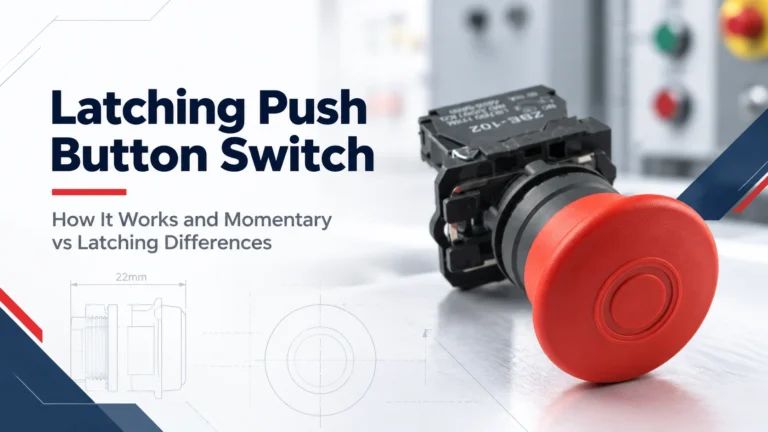
A Latching Push Button Switch is designed to maintain its switching state after being pressed. Unlike a momentary push button, which returns to its original position as soon as the operator releases it, a latching switch remains active until it is operated again or manually released. This makes latching push buttons useful in industrial control […]
An Emergency Stop Push Button is a critical control component used on industrial machinery, automation systems, production lines, and control panels. Its purpose is simple: allow an operator to quickly initiate a stop command when an abnormal or potentially dangerous condition occurs. Although most emergency stop buttons use a familiar mushroom head, not all models […]